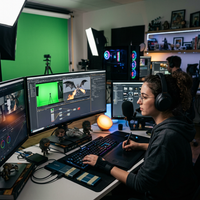
Build and design websites using coding and design principles This guide shows beginners how to start web design with a realistic first week, the gear that actually matters, and mistakes to skip. Difficulty: intermediate. Category: Tech.
Why try Web Design
- Web Design is a tech hobby you can begin without a huge commitment.
- A intermediate path means you can get a first result using Visual Studio Code (Free Download - Microsoft).
- Major Hobbies curates three kits so you buy what you need for Web Design, not a whole store aisle.
Starter kits
Some links are Amazon Associates links. We may earn a commission at no extra cost to you.
Budget
Budget Starter
Get started with web design using a code editor, a domain, basic hosting, and essential learning resources — minimal upfront cost.
$175-$215 estimated
- Visual Studio Code (Free Download - Microsoft)$0.00
Free, industry-standard code editor with HTML/CSS/JS support, extensions, and live preview — the #1 tool for web designers.
Amazon (affiliate)
- Namecheap Domain Name Registration (1 Year .com)$9.98
Register your own .com domain to practice deploying and showcasing your web design work.
Amazon (affiliate)
- SiteGround Web Hosting Starter Plan (1 Year)$47.88
Reliable beginner hosting with one-click WordPress install, SSL certificate, and 24/7 support.
Amazon (affiliate)
- HTML and CSS: Design and Build Websites by Jon Duckett (Paperback)$22.49
The most visually approachable HTML/CSS book for beginners — widely recommended for self-taught web designers.
Amazon (affiliate)
- Figma (Free Starter Plan)$0.00
Free browser-based UI/UX design tool for wireframing and prototyping web layouts before coding.
Amazon (affiliate)
- Logitech M510 Wireless Mouse$29.99
Comfortable full-size wireless mouse for long design and coding sessions — essential peripheral.
Amazon (affiliate)
- Udemy Web Design Bootcamp Course (The Web Developer Bootcamp - Colt Steele)$84.99
Comprehensive beginner-to-intermediate web design and development course covering HTML, CSS, and JavaScript.
Amazon (affiliate)
Mid-range
Mid-Range Enthusiast
Serious tools including a pro Figma plan, premium UI kit, Adobe XD, external monitor, and premium learning to build portfolio-worthy websites.
$505-$625 estimated
- Figma Professional Plan (1 Year)$180.00
Unlocks unlimited projects, advanced prototyping, and team collaboration — essential for professional-level web design workflow.
Amazon (affiliate)
- Adobe XD (included in Adobe Creative Cloud All Apps Plan - 1 Month)$54.99
Gives access to Adobe XD for wireframing plus Photoshop and Illustrator for creating web graphics and assets.
Amazon (affiliate)
- ASUS VA24EHE 23.8" Full HD IPS Monitor$109.99
Full HD IPS external display — web designers need accurate color reproduction and extra screen real estate to view layouts.
Amazon (affiliate)
- JavaScript: The Good Parts by Douglas Crockford (Paperback)$24.99
Foundational JavaScript book for web designers ready to add interactivity and dynamic behavior to their sites.
Amazon (affiliate)
- Logitech MX Keys Advanced Wireless Keyboard$109.99
Backlit, ergonomic keyboard with scissor-switch keys — preferred by developers for long coding sessions.
Amazon (affiliate)
- UI/UX Design Masterclass on Udemy (Daniel Walter Scott)$84.99
In-depth course covering wireframing, prototyping, user research, and Figma — takes your design skills to a professional level.
Amazon (affiliate)
Premium kit (not a paid feature)
Premium Professional
Professional-grade web design setup with a color-accurate dual-monitor arrangement, full Adobe suite, premium UI kits, and ergonomic peripherals.
$1830-$2245 estimated
- BenQ PD2705U 27" 4K IPS Designer Monitor$599.00
4K resolution with 100% sRGB and Rec.709 — lets you preview pixel-perfect web designs exactly as end users will see them.
Amazon (affiliate)
- Adobe Creative Cloud All Apps Plan (1 Year Individual Subscription)$599.88
Full access to Photoshop, Illustrator, XD, Dreamweaver, After Effects, and all Adobe tools — the complete professional web design toolkit.
Amazon (affiliate)
- Figma Organization Plan (1 Year)$540.00
Top-tier Figma plan with design systems, branching, advanced analytics, and SSO — used by design teams at major tech companies.
Amazon (affiliate)
- Logitech MX Master 3S Wireless Performance Mouse$99.99
Best-in-class design mouse with ultra-precise scrolling and programmable buttons for navigating complex design files.
Amazon (affiliate)
- Keychron Q1 Pro QMK/VIA Wireless Mechanical Keyboard$199.00
Aluminum-body mechanical keyboard with fully programmable keys — set custom shortcuts for Figma, VS Code, and Adobe apps.
Amazon (affiliate)
Your first week of Web Design
- Day 1: Read this page and pick the budget kit for Web Design. Order or borrow Visual Studio Code (Free Download - Microsoft).
- Day 2: Set up a small space. Watch one beginner demo specific to Web Design.
- Day 3: Do a 20–30 minute first session. Goal: finish something tiny, not perfect.
- Day 4: Rest or review notes. Log the session in Major Hobbies Track.
- Day 5: Second session. Repeat yesterday, 10% slower and cleaner.
- Day 6: Join the Web Design community or find a spot Near You.
- Day 7: Share one photo or note of what you made. Plan week two.
Tips
- Start with Budget Starter before upgrading.
- Protect your time: two short Web Design sessions beat one exhausted marathon.
- Take a photo of your setup so you can reset it next time.
- Ask one question in Community instead of buying more tools.
- If you stall, drop difficulty, not the hobby.
FAQ
How much does it cost to start Web Design?
Most beginners start around $175-$215 with the Budget Starter. Mid and premium kits exist when you know you will stick with Web Design.
Is Web Design good for beginners?
Web Design is listed as intermediate, but you can still start with the budget kit and a short first week.
What do I need for Web Design?
Open the three starter kits on this page. The budget list is the honest minimum for Web Design.
Where can I do Web Design near me?
Use Near You on this page or majorhobbies.com/near?q=Web%20Design to find classes, studios, and venues.