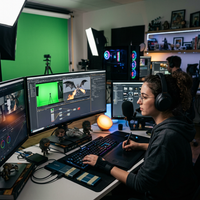
Design intuitive digital interfaces and experiences This guide shows beginners how to start user experience design with a realistic first week, the gear that actually matters, and mistakes to skip. Difficulty: intermediate. Category: Tech.
Why try User Experience Design
- User Experience Design is a tech hobby you can begin without a huge commitment.
- A intermediate path means you can get a first result using Rollo Sticky Notes Value Pack – 3x3 Inches (24 Pads, 1,800 sheets).
- Major Hobbies curates three kits so you buy what you need for User Experience Design, not a whole store aisle.
Starter kits
Some links are Amazon Associates links. We may earn a commission at no extra cost to you.
Budget
Budget Starter Package
Free and low-cost tools to learn UX fundamentals, wireframe by hand, and start prototyping with Figma's free tier.
$65-$85 estimated
- Rollo Sticky Notes Value Pack – 3x3 Inches (24 Pads, 1,800 sheets)$14
Post-it style notes for user journey mapping, affinity diagramming, and card sorting exercises.
Amazon (affiliate)
- Strathmore 400 Series Wireframing Sketch Pad 8.5x11 (50 sheets)$10
For hand-sketching low-fidelity wireframes and user flow diagrams before going digital.
Amazon (affiliate)
- Staedtler Triplus Fineliner Pens 10-Pack (0.3mm, assorted colors)$11
Color-coded pens for sketching user flows, annotating wireframes, and journey map color coding.
Amazon (affiliate)
- Don't Make Me Think, Revisited: A Common Sense Approach to Web Usability (Steve Krug, 3rd Ed.)$26
The single most recommended beginner book in the UX field — required reading for every new designer.
Amazon (affiliate)
- Figma Professional (Monthly Subscription)$15
The dominant industry tool for wireframing, prototyping, and UI/UX design. Free tier also available.
Amazon (affiliate)
Mid-range
Mid-Range Package
A solid hardware and software foundation for someone actively building a UX portfolio with real prototyping tools and user research frameworks.
$235-$290 estimated
- Wacom Intuos Small Bluetooth Drawing Tablet (CTL4100WLK0)$99
Useful for precise digital sketching and annotating prototypes in Figma and Adobe XD.
Amazon (affiliate)
- The Design of Everyday Things (Don Norman, Revised Ed., Paperback)$19
Foundational UX theory text — covers affordances, mental models, and user-centered design philosophy.
Amazon (affiliate)
- Sprint: How to Solve Big Problems and Test New Ideas in Just Five Days (Jake Knapp)$17
The Google Ventures design sprint methodology book — essential for UX research and prototyping workflows.
Amazon (affiliate)
- Optimal Workshop Suite (Monthly Subscription – UX Research Tools)$99
Includes Treejack (IA testing), OptimalSort (card sorting), and Chalkmark (first-click testing) for real user research.
Amazon (affiliate)
- LUXAFOR Flag USB Busy Light Indicator + Focus Aid$29
Practical focus tool for deep work sessions during wireframing, prototyping, and user research analysis.
Amazon (affiliate)
Premium kit (not a paid feature)
Premium Package
A professional-grade UX toolkit including a large drawing tablet, usability testing platform subscription, advanced prototyping software, and the most respected books in the field.
$805-$985 estimated
- Wacom Intuos Pro Medium Drawing Tablet (PTH660)$349
Professional tablet for high-fidelity digital sketching, wireframing annotation, and UI detailing.
Amazon (affiliate)
- UserTesting Platform (Monthly Subscription – Starter Plan)$299
Industry-leading usability testing platform used by Google, Microsoft, and Apple — access real user video sessions.
Amazon (affiliate)
- Figma Organization (Annual Subscription)$180
Top-tier Figma plan with advanced prototyping, branching, analytics, and design system features.
Amazon (affiliate)
- UX Research: Practical Techniques for Designing Better Products (Brad Nunnally & David Farkas)$45
Comprehensive advanced UX research methodology book covering interviews, usability tests, and synthesis.
Amazon (affiliate)
- Hobo UX Research & Design Notebook (Dotted Grid, A4, Hardcover)$22
Premium notebook for user interview notes, affinity mapping, and design critique sessions.
Amazon (affiliate)
Your first week of User Experience Design
- Day 1: Read this page and pick the budget kit for User Experience Design. Order or borrow Rollo Sticky Notes Value Pack – 3x3 Inches (24 Pads, 1,800 sheets).
- Day 2: Set up a small space. Watch one beginner demo specific to User Experience Design.
- Day 3: Do a 20–30 minute first session. Goal: finish something tiny, not perfect.
- Day 4: Rest or review notes. Log the session in Major Hobbies Track.
- Day 5: Second session. Repeat yesterday, 10% slower and cleaner.
- Day 6: Join the User Experience Design community or find a spot Near You.
- Day 7: Share one photo or note of what you made. Plan week two.
Tips
- Start with Budget Starter Package before upgrading.
- Protect your time: two short User Experience Design sessions beat one exhausted marathon.
- Take a photo of your setup so you can reset it next time.
- Ask one question in Community instead of buying more tools.
- If you stall, drop difficulty, not the hobby.
FAQ
How much does it cost to start User Experience Design?
Most beginners start around $65-$85 with the Budget Starter Package. Mid and premium kits exist when you know you will stick with User Experience Design.
Is User Experience Design good for beginners?
User Experience Design is listed as intermediate, but you can still start with the budget kit and a short first week.
What do I need for User Experience Design?
Open the three starter kits on this page. The budget list is the honest minimum for User Experience Design.
Where can I do User Experience Design near me?
Use Near You on this page or majorhobbies.com/near?q=User%20Experience%20Design to find classes, studios, and venues.