Build and manage Instagram accounts This guide shows beginners how to start instagram management with a realistic first week, the gear that actually matters, and mistakes to skip. Difficulty: beginner. Category: Tech.
Why try Instagram Management
- Instagram Management is a tech hobby you can begin without a huge commitment.
- A beginner path means you can get a first result using Canva Pro Subscription (Monthly).
- Major Hobbies curates three kits so you buy what you need for Instagram Management, not a whole store aisle.
Starter kits
Some links are Amazon Associates links. We may earn a commission at no extra cost to you.
Budget
Budget Instagram Management Setup
Everything a beginner needs to start creating and managing a polished Instagram presence using mostly free tools and one key investment.
$65-$85 estimated
- Canva Pro Subscription (Monthly)$13
The #1 beginner graphic design tool. Thousands of Instagram post and Story templates, free brand kit, and background remover.
Amazon (affiliate)
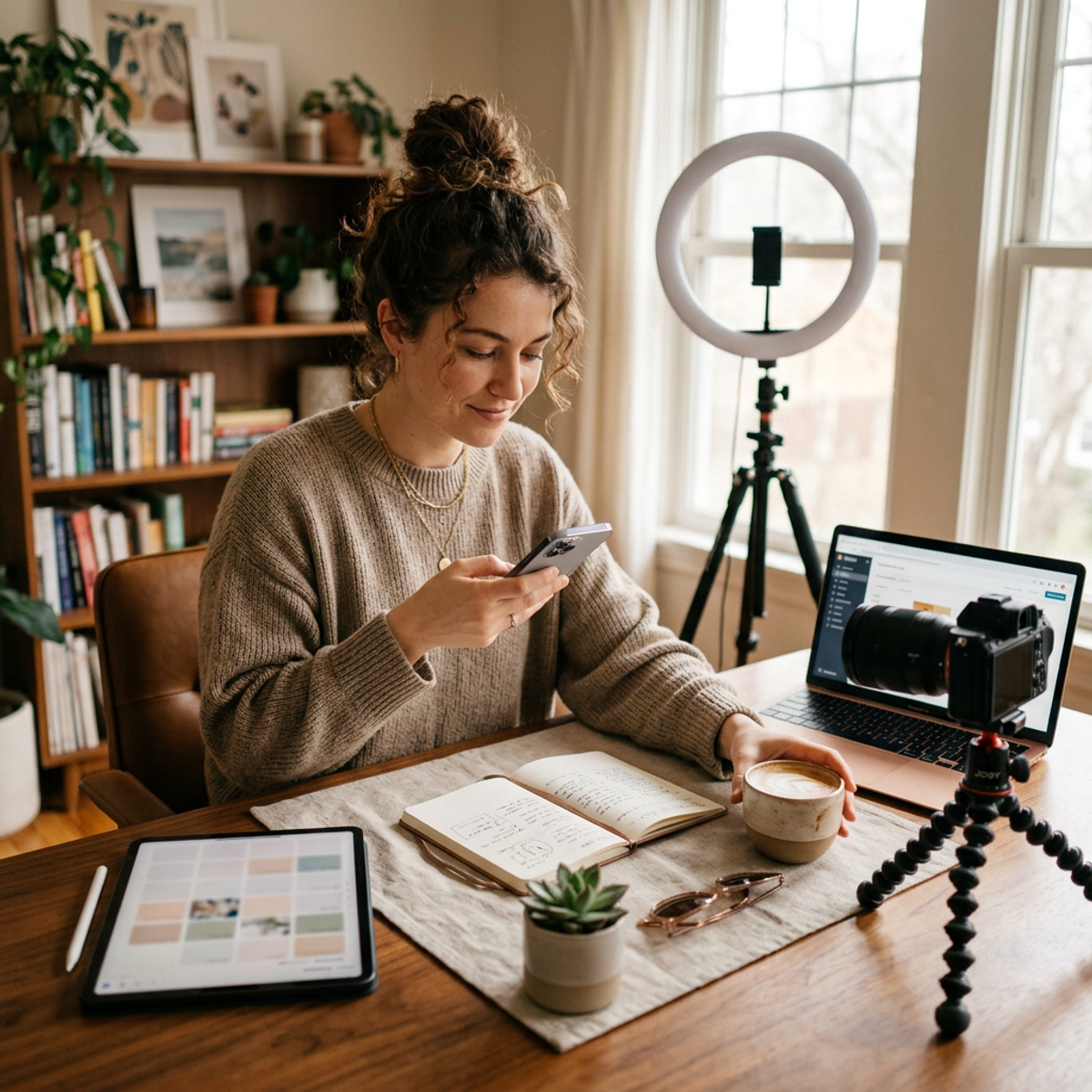
- Joby GorillaPod 325 Flexible Mini Tripod$18
Wraps around poles, shelves, or sits on a desk. Essential for taking solo photos and video without a second person.
Amazon (affiliate)
- Selfie Ring Light with Phone Holder 8-inch (UBeesize)$22
Professional-looking lighting for Reels and photos. Makes any smartphone camera produce scroll-stopping images.
Amazon (affiliate)
- Later (Free Plan — Social Scheduling App)$0
Free visual Instagram post scheduler. Plan your grid, write captions, and auto-publish posts. Download at later.com.
Amazon (affiliate)
- iPhone/Android Clip-On Lens Kit (Altura Photo 3-in-1)$20
Wide-angle, macro, and fisheye lenses that clip onto any smartphone. Instantly elevates your content photography.
Amazon (affiliate)
Mid-range
Mid-Tier Instagram Management Setup
A step up for creators getting serious about aesthetic, consistency, and growth. Includes better hardware and paid scheduling/analytics tools.
$740-$910 estimated
- Adobe Creative Cloud Photography Plan (Monthly)$10
Lightroom + Photoshop for $10/month. Lightroom presets and professional photo editing are standard at this level.
Amazon (affiliate)
- Later Growth Plan (Monthly Subscription)$25
Unlocks analytics, best-time-to-post suggestions, hashtag analytics, and unlimited scheduling — key for growth-focused creators.
Amazon (affiliate)
- Neewer 2-Pack LED Video Light with Adjustable Tripod Stand$60
Two-point soft box lighting setup for professional content shoots at home. Far superior to a single ring light.
Amazon (affiliate)
- Sony ZV-E10 Mirrorless Camera Body$648
The go-to content creator camera. Gorgeous background blur, 4K video, and a flip-out screen for solo shooting.
Amazon (affiliate)
- Peak Design Capture Clip V3$80
Attaches your camera to a bag or belt for on-the-go content creation without lugging around a full camera bag.
Amazon (affiliate)
Premium kit (not a paid feature)
Premium Instagram Management Setup
Full professional-grade toolkit for serious influencers, brand accounts, or social media managers handling multiple clients.
$3640-$4455 estimated
- Sony A7 IV Full-Frame Mirrorless Camera$2,498
Professional full-frame sensor with best-in-class autofocus and 33MP resolution for stunning editorial-quality content.
Amazon (affiliate)
- Hootsuite Professional Plan (Monthly)$99
Enterprise-level social media management: schedule across 10 accounts, in-depth analytics, and team collaboration tools.
Amazon (affiliate)
- Elgato Key Light Air (2-pack)$200
App-controlled professional studio lighting. Consistent, color-accurate light for all photo and video content.
Amazon (affiliate)
- iPad Pro 11-inch M4 with Apple Pencil$999
For on-the-go editing in Lightroom Mobile, graphic design in Procreate, and caption writing. The professional mobile content suite.
Amazon (affiliate)
- Manfrotto MT190XPRO4 Aluminum Tripod with Ball Head$170
Rock-solid professional tripod for precise, repeatable product photography and portrait shoots.
Amazon (affiliate)
- Later Enterprise Plan (Annual)$80
Full analytics suite, multi-account management, team workflows, and white-label reporting for professional brand management.
Amazon (affiliate)
Your first week of Instagram Management
- Day 1: Read this page and pick the budget kit for Instagram Management. Order or borrow Canva Pro Subscription (Monthly).
- Day 2: Set up a small space. Watch one beginner demo specific to Instagram Management.
- Day 3: Do a 20–30 minute first session. Goal: finish something tiny, not perfect.
- Day 4: Rest or review notes. Log the session in Major Hobbies Track.
- Day 5: Second session. Repeat yesterday, 10% slower and cleaner.
- Day 6: Join the Instagram Management community or find a spot Near You.
- Day 7: Share one photo or note of what you made. Plan week two.
Tips
- Start with Budget Instagram Management Setup before upgrading.
- Protect your time: two short Instagram Management sessions beat one exhausted marathon.
- Take a photo of your setup so you can reset it next time.
- Ask one question in Community instead of buying more tools.
- If you stall, drop difficulty, not the hobby.
FAQ
How much does it cost to start Instagram Management?
Most beginners start around $65-$85 with the Budget Instagram Management Setup. Mid and premium kits exist when you know you will stick with Instagram Management.
Is Instagram Management good for beginners?
Yes. Instagram Management is marked beginner-friendly on Major Hobbies.
What do I need for Instagram Management?
Open the three starter kits on this page. The budget list is the honest minimum for Instagram Management.
Where can I do Instagram Management near me?
Use Near You on this page or majorhobbies.com/near?q=Instagram%20Management to find classes, studios, and venues.